Chapter 1
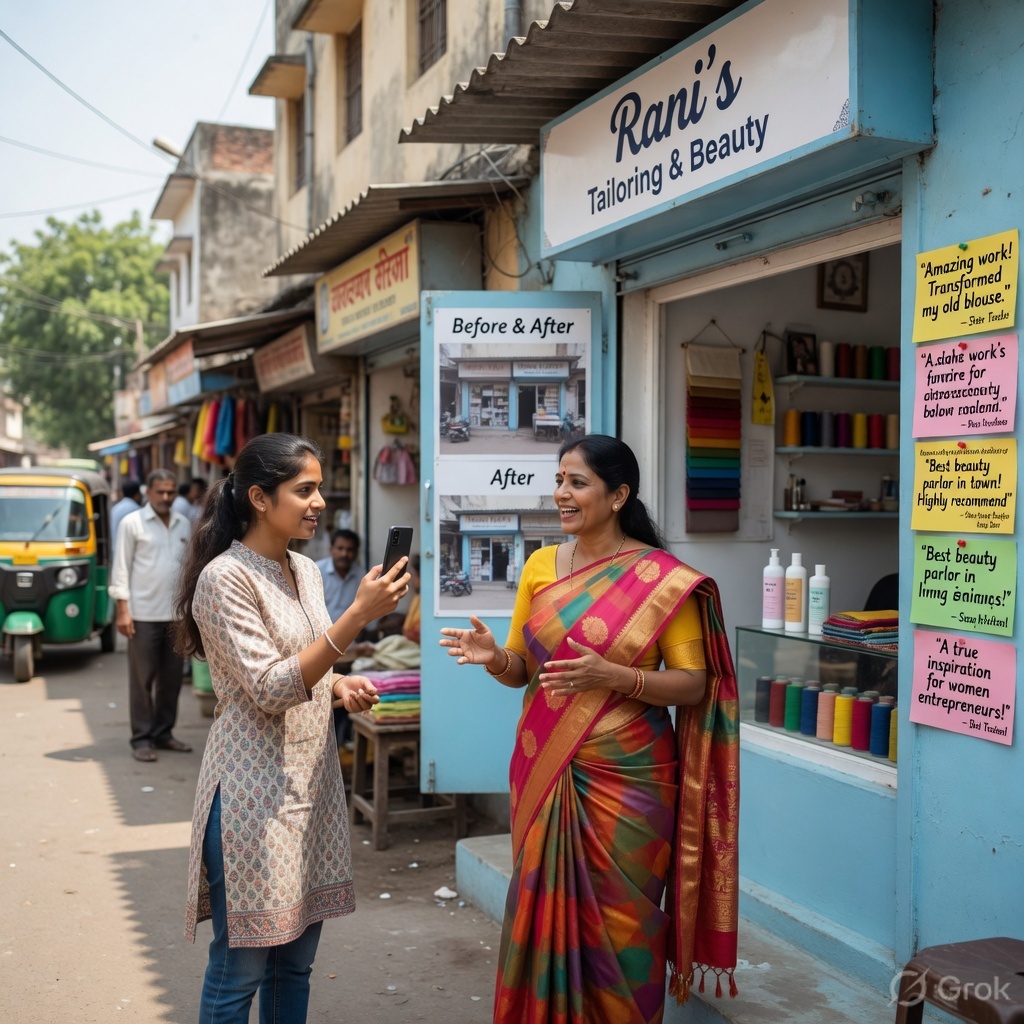
Think about this: when someone tells you a list of features of a phone, do you remember them? Probably not. But if a friend says, "I was lost on a highway at night, and this phone's GPS saved me" — you will never forget it. That is the power of a story.
As a Setu Star, your most important job is not to "advertise" KaryoSetu. Your job is to tell real stories of people whose lives changed because of this app. When you share these stories on Instagram, people connect with them on a deep emotional level. They think, "If that person can do it, maybe I can too."
Science has proven that our brains are wired for stories. When we hear a list of facts, only the language-processing parts of our brain activate. But when we hear a story, our entire brain lights up — the same parts that would activate if we were actually experiencing the events ourselves.
Here is what this means for you:
| Feature-Based Post | Story-Based Post | Result |
|---|---|---|
| "KaryoSetu has 10,000+ listings" | "Sunita Tai listed her pickles 3 weeks ago. She got 47 orders." | Story post gets 5x more saves |
| "List your products for free on KaryoSetu" | "Ram Kaka was going to close his shop. Then he tried KaryoSetu." | Story post gets 3x more shares |
| "KaryoSetu supports voice search" | "Balu Dada cannot read. But he searches for products by talking to the app." | Story post gets 8x more comments |
| "Multi-language support available" | "Geeta Bai uses KaryoSetu in Marathi. She says, 'It feels like my own app.'" | Story post gets 4x more follows |
As you can see, stories always win. People scroll past feature lists, but they stop for stories.
Every time you think about posting a feature of KaryoSetu, ask yourself: "Can I tell this through someone's story instead?" If yes — always choose the story.
In rural India, trust is everything. People do not buy from companies — they buy from people they trust. When you share a real person's story from their own village or a nearby town, your audience thinks:
A story creates a bond between you (the creator), the person in the story, and your audience. This three-way bond is incredibly powerful.
A Setu Star in Maharashtra shared a simple reel: a grandmother making papads by hand, her wrinkled hands flattening the dough. The caption said, "Kavita Aaji has been making papads for 40 years. She never had customers outside her village. Last month, she listed on KaryoSetu. She got orders from 3 different talukas."
This reel got 12,000 views — more than any "download KaryoSetu" post ever could. Why? Because people saw a real person, a real struggle, and a real solution.
Before you start creating stories, let us look at what makes story reels go viral on Instagram. Here are patterns from successful creators:
This features someone you would not expect to be successful on a digital platform — a grandmother, a small farmer, a person with disabilities. The surprise element makes people watch and share.
Show the struggle first — empty shop, worried face, unpaid bills. Then show the change — orders coming in, happy customer, counting money. The contrast creates emotion.
Instead of one person, show how KaryoSetu changed a whole group — an SHG, a market, a village. This makes the impact feel bigger.
Follow a seller through their entire day — morning preparation, packing orders, delivering to customers. This authentic format always works well.
| Reel Pattern | Average Views | Average Shares | Best For |
|---|---|---|---|
| Unexpected Hero | 8,000–15,000 | 200–500 | Building emotional connection |
| Emotional Transformation | 5,000–12,000 | 150–400 | Showing KaryoSetu's impact |
| Community Impact | 3,000–8,000 | 300–700 | Reaching group audiences |
| Day in the Life | 4,000–10,000 | 100–300 | Authentic, relatable content |
Here are some real types of stories that have moved audiences across India. These will inspire you to find similar stories in your own area:
Raju, a small farmer in Vidarbha, grew organic vegetables but could only sell them at the local weekly market at very low prices. A Setu Saathi helped him list on KaryoSetu. Within a month, customers from the nearby town started ordering directly from him. His income went up by 40%. He says, "Now the vegetables go straight from my field to people's homes. No middleman."
Meena runs a small tailoring shop from her home. She only had customers from her own village — about 10 families. After listing on KaryoSetu, women from 5 nearby villages started contacting her for blouse stitching and alterations. She now has so much work that she hired another woman from her SHG to help.
Priya, a young mother, started making cakes and cookies at home during the lockdown. She had no shop and no way to reach customers. She listed her products on KaryoSetu and started getting orders for birthdays and festivals from the entire block. She now earns ₹8,000–12,000 per month — enough to pay for her daughter's school fees.
Vikram repairs mobile phones and electrical items. He used to sit at the bus stand hoping for customers. After listing on KaryoSetu, people call him to their homes for repairs. He spends less time waiting and more time working. His daily income doubled.
As a Setu Star, you are the bridge between these amazing people and the world. You have three important jobs:
You do not need to make up stories. You do not need to exaggerate. Real stories, told well, are the most powerful content you can create.
The best Setu Stars are not the ones with the best cameras or editing skills. They are the ones who find the best stories. Focus on finding one great story every week, and your content will stand out.
Never make up fake stories or exaggerate someone's results. If your audience finds out a story is not real, you will lose all trust — and trust is the hardest thing to rebuild. Always get permission from the person before sharing their story.
Chapter 2
Now that you understand why stories are powerful, let us talk about how to find them. You might think, "There are no interesting stories in my area." But trust us — there are stories everywhere. You just need to know where to look.
The best stories come from real people who have used KaryoSetu and seen a positive change. Here are the types of people to look for:
Local shopkeepers — grocery stores, stationery shops, hardware stores — who listed on KaryoSetu and started getting customers they did not have before. Maybe someone from another village found their shop through the app.
Farmers who used to sell through middlemen at low prices but now sell directly to customers through KaryoSetu. Even a small improvement in price makes a big difference for a farmer.
Electricians, plumbers, tailors, beauticians, tutors — anyone who provides a service and found new customers through the app. Service stories are very relatable because everyone needs services.
Self-Help Groups that started selling their products (pickles, papad, handicrafts, snacks) on KaryoSetu. Group stories are powerful because they show community impact.
Young people who had no shop but started a small business using KaryoSetu as their platform. These stories inspire other young people in your audience.
| Person Type | Story Angle | Why It Works | Audience Appeal |
|---|---|---|---|
| Shopkeeper | "Got customers from other villages" | Shows app reaches beyond local area | Other shopkeepers, business owners |
| Farmer | "Sold crops at better price" | Shows economic benefit | Farming community, rural audience |
| Service Provider | "Phone rings more now" | Shows practical, daily impact | Skilled workers, job seekers |
| SHG Group | "Our group doubled its sales" | Shows community upliftment | Women's groups, community leaders |
| Young Entrepreneur | "Started from zero, now earning ₹15K/month" | Shows opportunity for youth | College students, young adults |
Here are five specific places where you can find great stories. Make it a habit to check these regularly:
Setu Saathis are the people who help users sign up and list on KaryoSetu. They know exactly who has been active, who has gotten orders, and who has had success. This is your best source of stories.
Open the KaryoSetu app and browse listings in your area. Look for:
Visit the weekly haat or daily market in your area. Talk to sellers and ask if any of them are using KaryoSetu. You might be surprised — some sellers use the app but have never told anyone about it.
Self-Help Groups are goldmines for stories. They meet regularly, so you can visit during a meeting. Ask the group leader if any members have started selling on KaryoSetu. SHG stories are especially powerful because they show women empowerment and community development.
Village Sarpanch, community leaders, and block-level officials often know about people who are doing well. They can point you to interesting stories you might not find on your own.
Set aside one day every week as your "story hunt day." Visit 2-3 of these places and talk to people. Keep a small notebook (or use your phone's notes app) to write down potential stories. Even if you do not film right away, having a list of stories ready is very valuable.
Not every story is worth filming. A good story needs three things:
There must be a clear "before" and "after." Before KaryoSetu, the person had a problem. After KaryoSetu, something improved. The bigger the transformation, the better the story.
The story should make people feel something — hope, happiness, surprise, motivation. If you listen to someone's story and you feel something in your heart, chances are your audience will too.
The person in the story should be someone your audience can relate to. A farmer's story will resonate with farming communities. A young person's story will inspire other young people. Think about who your followers are and find stories that match.
| Factor | Weak Story | Strong Story |
|---|---|---|
| Transformation | "I listed my products on KaryoSetu" | "I was about to close my shop. KaryoSetu saved my business." |
| Emotion | "I got some orders from the app" | "When I got my first order, I cried. I never thought someone from another village would buy from me." |
| Relatability | "A businessman in the city uses KaryoSetu" | "Sunita Tai from our village, who sells papads from her veranda, now has 50 regular customers." |
Before you decide to film someone's story, ask yourself these questions:
If you answered "yes" to at least 5 of these, you have a great story to film!
Many people in rural areas are shy about appearing on camera. Here is how to approach them:
Never film someone without their clear permission. Always explain that the video will be posted on Instagram. If they say no, respect their decision and move on. There are plenty of stories out there — never pressure anyone.
This week, complete the following tasks:
Share your list of potential stories with your Setu Star mentor or WhatsApp group.
Chapter 3
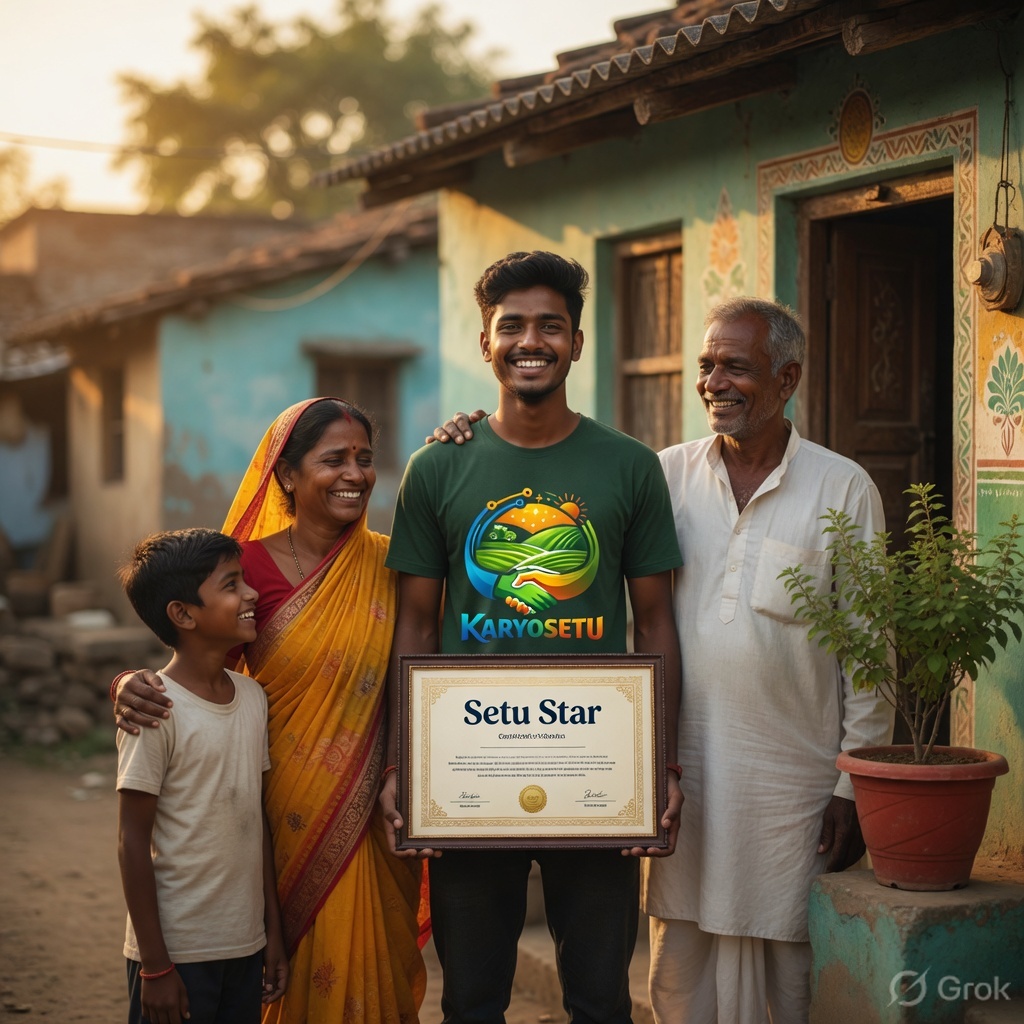
You have found a great story. Now it is time to capture it on camera. Interviewing someone for a story reel is a skill — and like any skill, it gets better with practice. This chapter will teach you how to conduct a great interview that gives you perfect content for a reel.
An interview for a story reel is different from a TV interview. You are not a news reporter. You are a friendly person having a conversation. The goal is to get the person to tell their own story in their own words, naturally and emotionally.
Here is the process step by step:
Reach the location 10-15 minutes before you plan to start filming. Look around, understand the space, and figure out where to position the camera. This also gives the person time to get comfortable with your presence.
Do NOT start recording immediately. Sit with the person, have chai, talk about the weather, their family, their work. This relaxes them and builds trust. During this chat, you will also pick up details that make the story better.
Tell them: "I am going to ask you a few simple questions. Just answer in your own words. There is no right or wrong answer. If you make a mistake, we can do it again. It is completely relaxed."
Begin recording and ask your questions one by one. Let them talk. Do not interrupt. Nod and smile to encourage them. If they go off-topic, gently bring them back.
After the interview, ask if you can film them working — cooking, stitching, farming, arranging products. This footage will be used as B-roll in your reel.
Always accept (or bring) chai. There is nothing that relaxes a person in India more than sitting with a cup of chai. Some of the best stories come out during chai conversations, not during formal interviews.
These five questions form the backbone of every story interview. Memorize them. They are designed to draw out a complete story with a beginning, middle, and end.
| # | Question | Purpose | What You Are Looking For |
|---|---|---|---|
| 1 | "What is your name and what do you do?" | Introduction | Name, location, occupation — establishes the person |
| 2 | "What problem were you facing before KaryoSetu?" | The "Before" | The struggle, the pain point, the challenge |
| 3 | "How did you find out about KaryoSetu?" | The Discovery | How they learned about the app — makes the story feel natural |
| 4 | "What happened after you listed on KaryoSetu?" | The "After" | The positive change — orders, income, customers, confidence |
| 5 | "What would you tell others about KaryoSetu?" | The Recommendation | A natural call-to-action from a real person |
Based on their answers, you might want to ask follow-up questions to get more detail:
The most powerful moments in a story come when people share their emotions. When they say something factual like "I got 10 orders," always follow up with "How did that make you feel?" The emotional answer ("I could not believe it, I was so happy I called my husband immediately") is what makes your reel unforgettable.
Most people in rural areas have never been on camera before. They will be nervous. Here are proven techniques to make them comfortable:
| Technique | How to Do It | Why It Works |
|---|---|---|
| Mirror their language | Speak in their local dialect or language, not English or formal Hindi | Makes them feel you are "one of them" |
| Start with something they are proud of | "Show me your best product" or "Tell me about this beautiful embroidery" | Puts them in a confident, positive mood |
| Use a small phone, not big equipment | Film on your phone, not a big camera with tripod | A phone feels casual; big equipment feels intimidating |
| Show them a sample reel first | Show them a reel you made of someone else | They understand what to expect and see it is nothing scary |
| Let them see themselves | Flip the camera to selfie mode and show them how they look | Reduces anxiety about being filmed |
| Film multiple takes | Tell them: "We can do this as many times as you want" | Removes the pressure to be perfect |
Do NOT make the person memorize lines. When people try to remember scripted words, they sound robotic and unnatural. Let them speak freely. You can always edit later.
Do NOT ask leading questions like "KaryoSetu is great, right?" Ask open-ended questions and let them express their own opinion.
Do NOT interrupt them when they are speaking. Even if they go off-topic, wait for them to finish, then gently redirect.
Here are practical filming tips to make your interviews look professional:
The easiest way to get great lighting: seat the person facing a window. The soft, even light from a window makes everyone look good. This one trick can make your interviews look 10x more professional.
Here is a complete sample interview to show you what a good interview looks and sounds like:
You: "Namaste Sunita Tai! Please tell us your name and what you do."
Sunita Tai: "My name is Sunita Jadhav. I live in Wadgaon village. I make pickles — mango, lemon, chilli — from my home."
You: "That is wonderful! So tell me, before KaryoSetu, how were things going?"
Sunita Tai: "Before, I used to make pickles only for my family and neighbours. Sometimes I would give jars to people and they would say 'very tasty' but nobody would buy. I had no way to sell. I tried at the local market but the big brands there have so many customers, nobody looked at my jars."
You: "That must have been frustrating. How did you find out about KaryoSetu?"
Sunita Tai: "The Setu Saathi, Rakesh bhai, came to our SHG meeting. He showed us the app and said we can list our products for free. I thought, what is there to lose? So I listed my mango pickle with a photo."
You: "And what happened after that?"
Sunita Tai: "Within one week, I got two orders! I could not believe it. People from the town were ordering MY pickle. Now I get 10-15 orders every month. I had to start making bigger batches. My daughter-in-law also helps me now."
You: "That is amazing! How did you feel when you got that first order?"
Sunita Tai: "I was so happy, I told everyone in the village! My husband was also very proud. He said, 'See, I always told you your pickle is the best.' Now I earn ₹4,000-5,000 extra every month. It is my own money. I feel independent."
You: "What would you tell other women who want to start selling?"
Sunita Tai: "I would say, do not be scared. If a 55-year-old woman like me can do it, anyone can. Just list your product, take a nice photo, and people will come. KaryoSetu ne meri zindagi badal di."
Before you interview a real person, practice with a friend or family member:
Practice makes perfect. The more interviews you do, the more natural and comfortable you will become.
Chapter 4
Of all the story formats in the world, the "Before-After" is the most powerful. It is simple. It is emotional. And it works every single time. In this chapter, you will master this format and get complete scripts you can use right away.
Humans are wired to notice contrast. When you show something bad followed by something good, the brain pays attention. It creates tension (the problem) and then relief (the solution). This emotional journey keeps viewers hooked.
Think about movie trailers: they always show the hero in trouble first, and then show them winning. Your story reels work the same way.
Without contrast: "Kiran gets 20 orders a month on KaryoSetu." — This is nice, but not very exciting.
With contrast: "Kiran used to sit in an empty shop with zero customers. Now she gets 20 orders a month on KaryoSetu." — This is powerful because you can feel the difference.
The same fact (20 orders) becomes 10x more impactful when you show the "before."
Every before-after story reel has exactly four parts. Here is the breakdown:
| Part | Duration | What to Show | Mood | Audio |
|---|---|---|---|---|
| Before | 8-10 seconds | The problem or struggle: empty shop, worried face, unsold goods, low income | Sad, tense, challenging | Slow, emotional background music |
| Turning Point | 3-5 seconds | They discover KaryoSetu: show the app, show the moment of listing | Curious, hopeful | Music shifts, builds anticipation |
| After | 8-10 seconds | The positive change: orders coming in, happy face, busy shop, products being packed | Happy, energetic, proud | Upbeat, positive music |
| Call to Action | 3-5 seconds | "You can do this too!" Text: Download KaryoSetu link | Motivational, inviting | Music continues, text overlay |
Total reel length: 22-30 seconds. This is the sweet spot for Instagram Reels — long enough to tell a story, short enough to keep attention.
Instagram users decide to watch or scroll within 3 seconds. Start your "Before" section with something visually strong — a close-up of empty shelves, a person's worried expression, or a text overlay that says "She was about to give up..." This hooks the viewer immediately.
BEFORE (10 sec):
[Show Raju standing in his field, looking at his vegetables. Show the local mandi with low prices on a board.]
[Text overlay: "Raju grows organic tomatoes in Wardha."]
[Raju's voice]: "I used to take my tomatoes to the mandi. The trader would give me ₹8-10 per kilo. After transport cost, I was barely earning anything."
[Text overlay: "₹8-10/kg from the middleman"]
[Show Raju looking at his phone. Show the KaryoSetu app on screen. Show him listing his tomatoes.]
[Text overlay: "Then he tried KaryoSetu..."]
[Raju's voice]: "The Setu Saathi showed me this app. He helped me list my tomatoes with photos."
[Show Raju packing tomatoes in boxes. Show phone notifications of orders. Show happy customers receiving delivery.]
[Raju's voice]: "Now people from town order directly from me. I sell at ₹20-25 per kilo. No middleman. My income is almost double."
[Text overlay: "₹20-25/kg — Direct to customers!"]
[Show Raju smiling with his family in front of his field.]
[Raju looking at camera, smiling]
[Raju's voice]: "If you are a farmer like me, try KaryoSetu. You will see the difference."
[Text overlay: "Download KaryoSetu — Link in bio"]
[KaryoSetu logo animation]
For the "Before" section, film at the mandi or in the field with dull lighting. For the "After" section, film in morning sunlight with bright colors. The visual contrast between dull and bright reinforces the before-after message.
BEFORE (10 sec):
[Show Meena sitting at her sewing machine in a small room. Show an empty order book. She looks at the door — no customers.]
[Text overlay: "Meena is a tailor in Deori village."]
[Meena's voice]: "I have been stitching for 12 years. But only 8-10 families in my village come to me. There were days when I had no work at all. I was thinking about giving up."
[Text overlay: "Only 8-10 customers in 12 years"]
[Show Meena's SHG meeting. Show the Setu Saathi explaining the app. Show Meena listing her tailoring service with photos of her work.]
[Text overlay: "Her SHG group told her about KaryoSetu"]
[Meena's voice]: "My SHG sister said, 'List your tailoring on KaryoSetu. Women from other villages will see your work.'"
[Show Meena's phone ringing. Show beautiful blouses and dresses she has stitched. Show her measuring fabric for a new customer. Show a pile of completed orders.]
[Meena's voice]: "Now I get calls from 5 different villages! Women see my designs on KaryoSetu and contact me. I am so busy that I hired Sunita from my SHG to help me."
[Text overlay: "From 10 customers to 50+ customers"]
[Show Meena and Sunita working together, laughing.]
[Meena holding up a beautiful blouse she stitched, smiling at the camera]
[Meena's voice]: "If you have a skill, show it to the world on KaryoSetu. Orders will come!"
[Text overlay: "Your skill deserves customers — Download KaryoSetu"]
[KaryoSetu logo animation]
BEFORE (10 sec):
[Show the SHG women sitting together. Show their products: papad, pickle jars, masala packets. Show a stack of unsold products gathering dust.]
[Text overlay: "Mahila Udyog SHG — 12 women, one dream"]
[Group leader's voice]: "We have been making papads and pickles for 3 years. We would take our products to melas and exhibitions. But between events, everything would sit in storage. We were losing money."
[Text overlay: "Products sitting unsold for months"]
[Show a Setu Saathi visiting the SHG. Show each woman's product being photographed and listed on the app.]
[Text overlay: "Then KaryoSetu came to their village..."]
[Group leader's voice]: "The Setu Saathi helped us list all our products — each woman's items separately. She taught us how to take photos."
[Show orders on phone screens. Show women packing products. Show a delivery person picking up orders. Show women counting money together at their meeting.]
[Group leader's voice]: "In three months, our sales doubled! Women who were earning ₹500 per month now earn ₹1,500-2,000. Some women are getting orders they never imagined. Last month, we got a bulk order from a company in Pune!"
[Text overlay: "Sales doubled in 3 months ↑"]
[Show all 12 women standing together, smiling, holding their products.]
[All women together, waving at the camera]
[Group leader's voice]: "If your SHG is making products, list them on KaryoSetu. The world is waiting for what you make!"
[Text overlay: "Every SHG deserves customers — Download KaryoSetu"]
[KaryoSetu logo animation]
When you show a group of women succeeding together, it sends a message of empowerment and community strength. This type of content often gets shared by NGOs, government accounts, and social media pages focused on women's empowerment — giving you much wider reach.
The three scripts above are templates. Here is how to adapt them for any story you find:
| Your Story Subject | "Before" to Show | "Turning Point" | "After" to Show |
|---|---|---|---|
| Baker | Baking alone, no orders, cakes going to waste | Listed on KaryoSetu | Phone full of orders, packing cakes, happy customers |
| Electrician | Sitting idle at bus stand, waiting for customers | Listed services on KaryoSetu | Phone ringing, going to different houses for repair work |
| Vegetable seller | Leftover vegetables at end of day, throwing away spoiled goods | Started selling on KaryoSetu | Pre-orders from customers, fresh vegetables packed and ready |
| Handicraft maker | Beautiful handicrafts with no buyers, stored in trunks | SHG helped list on KaryoSetu | Orders from towns, wrapping and shipping products |
| Tutor | Only 2-3 students, struggling to earn | Listed tutoring service on KaryoSetu | Full batch of students, parents calling for admission |
Using the story subject you identified in Chapter 2's homework, write a complete before-after script:
Share your script with your mentor before filming. They can give you feedback to make it stronger.
Chapter 5
Not every reel needs to tell a person's story. Another very popular format on Instagram is the "Tips Reel" — short, face-to-camera videos where you share useful advice. These reels establish you as an expert and help your followers succeed on KaryoSetu.
A tips reel is a 15-30 second video where you (the Setu Star) speak directly to the camera and share 3-5 quick tips on a specific topic. Think of it as giving free advice to your followers.
Why are tips reels effective?
| Content Type | Effort Level | Time to Create | Typical Engagement | Best Use |
|---|---|---|---|---|
| Story Reel (Before-After) | High (interview + filming + editing) | 3-5 hours | High views, high shares | 1-2 per week for impact |
| Tips Reel (Face-to-Camera) | Low (just you + phone) | 30-60 minutes | High saves, moderate views | 3-4 per week for consistency |
| Product Showcase Reel | Medium (products + filming) | 1-2 hours | Moderate views, high comments | 1-2 per week for variety |
Here are 10 ready-to-film tip reel topics. Each one is designed to be helpful, specific, and shareable:
Content: Use natural light, clean the background, take multiple angles. This is the most saved type of tip reel because everyone struggles with product photos.
"Want better photos for your KaryoSetu listing? Here are 3 easy tips. Number 1: Use natural light — take your product near a window. Number 2: Clean your background — a plain white sheet works perfectly. Number 3: Take photos from 3 angles — front, top, and close-up. Try these and see your views go up! Follow for more tips."
Content: Be specific, include the product name, add your location, use simple words. A good title = more clicks.
"Your listing title is the first thing people see. Here is how to write a great one. Bad title: 'Pickle.' Good title: 'Homemade Mango Pickle — Amravati — 500g Jar.' See the difference? Be specific. Include what it is, where you are, and the size or quantity. This one change can double your views."
Content: Clear photos, good description, fair price, seller rating, quick response time. Help sellers understand the buyer's perspective.
"Want more orders on KaryoSetu? Here is what buyers look for. One — clear photos, not blurry. Two — a description that tells them exactly what they are getting. Three — a fair price, not too high, not suspiciously low. Four — good seller reviews from other buyers. Five — fast response when they message you. Nail these five and the orders will come!"
Content: Research similar listings, add your costs, include delivery cost, do not go too low (people distrust very cheap products).
"Confused about pricing? Here is a simple formula. Step 1: Check what similar products cost on KaryoSetu. Step 2: Add up your costs — materials, time, packaging. Step 3: Add 20-30% profit. Step 4: Do not go too cheap — people think cheap means bad quality. Price it fairly and be confident about your product's worth."
Content: Many users cannot type well, voice search is faster, works in local languages, great for older users.
"Did you know KaryoSetu has voice search? Instead of typing, just talk! Say 'Mango pickle in Wardha' and it finds results instantly. This is amazing for people who find typing difficult. Tell your customers about this feature — it makes their shopping so much easier. Try it now!"
Content: Blurry photos, no description, not responding to messages. Show the mistake and the fix.
"New on KaryoSetu? Avoid these 3 mistakes! Mistake 1: Blurry photos. Fix: Clean your camera lens and use natural light. Mistake 2: Empty description. Fix: Write at least 3 lines about your product. Mistake 3: Not replying to messages. Fix: Reply within 1 hour — buyers will go to someone else if you are slow. Fix these and you are ahead of 80% of sellers!"
Content: Good title, 4-5 photos, complete description, share listing link, ask friends to view.
"Low views on your listing? Here are 4 things that help. First — use a specific, detailed title. Second — add 4-5 photos showing different angles. Third — write a complete description with size, color, price, and location. Fourth — share your listing link on WhatsApp groups. More views means more orders!"
Content: Morning 7-9 AM (people check phones before work), evening 6-8 PM (people browse after work), Sunday (holiday browsing).
"When should you post your listing for maximum views? Here are the best times. Morning — 7 to 9 AM — people check their phones before starting work. Evening — 6 to 8 PM — people browse after work. And the best day? Sunday — because people have free time and love to explore new products. Time your listings right!"
Content: Turn on notifications, keep stock info ready, use quick reply templates, follow up after sale.
"Fast replies = more sales. Here is how to be quick. One — turn on KaryoSetu notifications so you do not miss messages. Two — keep your product info ready — price, availability, delivery time. Three — prepare common answers in your phone's notes so you can copy-paste. Four — always follow up after the sale to ask if they are happy. Fast sellers are successful sellers!"
Content: Highlight a lesser-known feature — voice search, multi-language support, SHG group listings, or referral benefits. This creates curiosity and drives app downloads.
"Here is a KaryoSetu feature that will blow your mind. Did you know you can use the app in your own language? Marathi, Hindi, English — whatever you are comfortable with. The entire app, all the menus, everything changes to your language. This means your grandmother can use it too! Try it — go to Settings, tap Language, and choose yours. Tell everyone about this!"
Every tips reel should follow this exact format for maximum impact:
| Element | Details | Duration |
|---|---|---|
| Hook | Start with a question or bold statement that stops scrolling: "Want more orders?" or "Stop making this mistake!" | 2-3 seconds |
| Tips (numbered) | Present your tips as a numbered list: "Number 1...", "Number 2...", "Number 3..." | 15-20 seconds |
| Wrap-up | Quick summary or motivational ending: "Try these and watch the difference!" | 3-5 seconds |
| Call to Action | "Follow for more tips" or "Save this reel!" or "Share with a seller friend" | 2-3 seconds |
Here is a time-saving secret: film 5-10 tips reels in one sitting. Pick a day, set up your phone, and record all your scripts back to back. Change your shirt between reels so they look like different days. You now have 2 weeks of content ready to post!
Copy this template and fill in your own topic:
[Hook]: "Want to [desired result]? Here are [number] tips!"
[Tip 1]: "Number 1: [First tip with brief explanation]."
[Tip 2]: "Number 2: [Second tip with brief explanation]."
[Tip 3]: "Number 3: [Third tip with brief explanation]."
[Wrap-up]: "Try these and [expected outcome]!"
[CTA]: "Follow for more tips like this!"
Being too generic: "Post good photos" is boring. Instead say "Take your product near a window and put it on a white cloth" — specific advice is always better.
Too many tips in one reel: Stick to 3-5 tips maximum. More than that and people cannot remember them. Save extra tips for another reel.
Reading from a paper: Your eyes should be on the camera, not on a script below. Practice your points before recording, or use the teleprompter feature in some editing apps.
For the best results, mix both types of content throughout the week:
| Day | Content Type | Example |
|---|---|---|
| Monday | Tips Reel | "3 ways to take better product photos" |
| Tuesday | Story Reel | Before-After: Farmer Raju's story |
| Wednesday | Tips Reel | "How to price your product right" |
| Thursday | Tips Reel | "3 mistakes new sellers make" |
| Friday | Story Reel | Before-After: Meena the tailor |
| Saturday | Tips Reel | "One feature most people don't know" |
| Sunday | Rest / Plan next week | Story hunt, script writing |
Chapter 6
You have a great story. You have a willing person. You have your questions ready. Now it is time to film. This chapter covers everything you need to know about filming story reels that look professional — even with just a smartphone.
The biggest mistake new creators make is bringing people to a "studio" or a blank wall. Don't do this. The best stories are filmed where the person actually lives and works.
When you film a farmer in his field, a tailor at her sewing machine, or a shopkeeper in his shop, the location tells part of the story without you saying a word. The audience can see the context, feel the atmosphere, and connect more deeply.
| Person | Best Location | What the Location Shows | Avoid |
|---|---|---|---|
| Farmer | Their field, near their crops | Hard work, connection to land, rural beauty | Inside a dark house |
| Tailor | At their sewing machine, with fabrics around | Skill, dedication, craft | Empty room |
| Shopkeeper | Behind their counter, products visible | Business, variety, livelihood | Outside the shop on the road |
| SHG Group | Their meeting place, with products displayed | Community, teamwork, women power | Scattered random location |
| Baker | Kitchen, with fresh baked goods visible | Freshness, homemade quality, warmth | Living room with no baking context |
| Repairman | Workshop, with tools and parts visible | Expertise, resourcefulness | Random outdoor spot |
When you arrive at the location, check these things before filming:
B-roll is the extra footage that you film in addition to the main interview. It is what makes your reel look professional and cinematic. While the person speaks (audio from the interview), you show B-roll visuals on screen.
| B-Roll Type | Examples | When to Use in the Reel | Duration to Film |
|---|---|---|---|
| Product Close-ups | Pickle jars, fabrics, vegetables, handicrafts | During "Before" and "After" sections | 10-15 seconds per shot |
| Hands at Work | Kneading dough, cutting fabric, plucking tomatoes | During interview audio, to add visual variety | 10-15 seconds per shot |
| Environment/Location | Shop front, field view, kitchen, market stalls | Opening shot to establish the setting | 5-10 seconds per shot |
| Phone/App Shots | KaryoSetu listing on phone, notifications, orders | During "Turning Point" section | 5-10 seconds per shot |
| Emotions/Reactions | Smiling face, proud expression, family reacting | During "After" section for emotional impact | 5-10 seconds per shot |
| Packing/Delivery | Wrapping products, labeling, handing to customer | During "After" section to show business activity | 10-15 seconds per shot |
For every story reel, aim to capture at least 2-3 minutes of B-roll footage. This gives you plenty of options during editing. It is much better to have too much B-roll than too little. You can always delete extra footage, but you cannot go back and film what you missed.
The audio in a story reel is just as important as the video — perhaps even more important. People can forgive slightly shaky video, but they will not watch a reel where they cannot hear the person clearly.
Wind is your biggest enemy when filming outdoors. Even a light breeze creates a loud "whooshing" noise on your phone's microphone that can ruin the entire recording. If you must film outdoors, position the person with their back to the wind, or wrap a small piece of cloth loosely around the phone's microphone as a makeshift windscreen.
A clip-on lavalier microphone (available for ₹200-300 on Amazon/Flipkart) will dramatically improve your audio quality. It clips to the person's shirt collar and plugs into your phone. This single investment will make all your reels sound 5x better. If you are serious about content creation, this is the first accessory to buy.
Good lighting separates amateur videos from professional content. The good news: you do not need any special equipment. Natural light is all you need.
| Setup | How to Do It | Result | Difficulty |
|---|---|---|---|
| Window Light | Seat person facing a window. You stand with the window behind you. | Soft, even, flattering light. Best indoor option. | Easy |
| Open Door Light | Have the person stand near an open doorway facing outside. | Good light with natural backdrop. | Easy |
| Shade Outdoors | Film under a tree or veranda, not in direct sunlight. | Even light without harsh shadows. | Easy |
| Golden Hour | Film between 7-9 AM or 4-6 PM for warm, golden light. | Beautiful, cinematic, warm tones. | Medium (need to time it right) |
| Backlight Avoided | Never place a light source (window/sun) behind the person. | Person appears as dark silhouette (BAD). | Common mistake to avoid |
Cutting at the neck: Never frame so that the bottom of the frame cuts exactly at someone's neck — it looks like a decapitation. Frame at chest level or waist level.
Too much headroom: Leaving a lot of empty space above the person's head makes them look small and the frame feel empty.
Not level: Hold your phone straight. A tilted horizon is very distracting. Some phones have a level guide in the camera app — use it.
The most impactful moments in a story reel are when the person shows genuine emotion — a smile when talking about their first order, tears when describing their struggle, pride when showing their products. Here is how to capture these moments:
Some of the best moments happen when people think the camera is not recording — when they laugh at a joke, when they whisper something to a family member, when they look proudly at their products. Keep filming during these "in-between" moments. You can always use them as B-roll.
Use this checklist every time you go to film a story reel:
| Category | Check Item | Done? |
|---|---|---|
| Before Leaving | Phone fully charged (above 80%) | ☐ |
| Before Leaving | Enough storage space on phone (at least 2 GB free) | ☐ |
| Before Leaving | Clean the camera lens with a soft cloth | ☐ |
| Before Leaving | Clip-on microphone packed (if you have one) | ☐ |
| Before Leaving | Interview questions noted on phone/paper | ☐ |
| At Location | Checked lighting (natural light on the person's face) | ☐ |
| At Location | Background is interesting and not distracting | ☐ |
| At Location | Quiet environment (TV/radio off, minimal road noise) | ☐ |
| At Location | Test recording done (10 seconds, played back for audio check) | ☐ |
| At Location | Person is comfortable and has given consent | ☐ |
| During Filming | Phone held steady at eye level | ☐ |
| During Filming | Person is off-center (rule of thirds) | ☐ |
| During Filming | All 5 key questions asked | ☐ |
| During Filming | Follow-up emotion questions asked | ☐ |
| After Interview | B-roll of products captured (at least 5 clips) | ☐ |
| After Interview | B-roll of person working captured | ☐ |
| After Interview | B-roll of location/environment captured | ☐ |
| After Interview | Phone screen recording of their KaryoSetu listing | ☐ |
| Wrap Up | Thanked the person and confirmed they are happy to share | ☐ |
| Wrap Up | All footage reviewed on the spot (not blurry, audio clear) | ☐ |
Before your first real story filming, do a complete practice run:
Chapter 7
You have filmed a great interview and captured beautiful B-roll. Now comes the part where you turn all that raw footage into a polished, professional story reel. Editing is where the magic happens — where scattered clips become a compelling 30-second story.
Both CapCut and InShot are free apps that work on any Android or iPhone. They are the best editing tools for beginners. Here is how to get started:
| Feature | CapCut | InShot |
|---|---|---|
| Price | Free (with premium options) | Free (with ads and premium) |
| Ease of Use | Slightly more features, small learning curve | Very simple and intuitive |
| Text Overlays | Excellent — many fonts, styles, animations | Good — fewer options but sufficient |
| Music Library | Large built-in library of trending sounds | Smaller library, can import your own |
| Subtitles | Auto-captions feature (very useful!) | Manual subtitle adding |
| Export Quality | Up to 4K | Up to 4K |
| Best For | Story reels with complex editing | Quick edits and simple reels |
We recommend CapCut for story reels because of its auto-caption feature. Since your interviews will often be in local dialects, auto-captions can save you hours of manual subtitle work. You may need to correct some words, but it gives you a great starting point.
This is the most important step in editing. You need to take your raw footage and arrange it into the Before-After structure from Chapter 4.
Here is what your editing timeline might look like for a 30-second reel:
Text overlays are the words that appear on screen during your reel. They serve three purposes:
| Do | Don't |
|---|---|
| Use large, bold fonts that are easy to read | Use tiny or fancy fonts that are hard to read |
| Keep text short (5-8 words maximum) | Write long sentences that fill the screen |
| Place text in the center or lower-third of the screen | Place text at the very top or very bottom (gets cut off) |
| Use contrasting colors (white text with black outline works best) | Use text color that blends into the background |
| Show text for at least 2 seconds so people can read it | Flash text for less than 1 second |
| Use numbers and emojis to make text pop | Use only plain text with no visual interest |
Whenever you can, use specific numbers in your text overlays. "Income increased" is okay, but "Income went from ₹3,000 to ₹8,000" is much more powerful. Numbers are concrete — they give proof and make the story believable.
Background music sets the mood for your reel. Here is how to use it effectively:
| Reel Section | Music Mood | Volume Level | Tips |
|---|---|---|---|
| Before (struggle) | Slow, emotional, slightly sad | 20-30% (behind voice) | Piano or soft strings work well |
| Turning Point | Building, hopeful, rising | 30-40% (creates anticipation) | A beat drop or transition sound works great here |
| After (success) | Upbeat, happy, energetic | 25-35% (let the person's words be heard) | Trending upbeat sounds on Instagram |
| Call to Action | Same as "After" (continues the energy) | 35-50% (can be louder as less dialogue) | End on a strong beat |
The most common editing mistake is making the background music too loud. The viewer MUST be able to clearly hear the person speaking. If you have to strain to hear the dialogue over the music, the music is too loud. A good rule: if you can understand every word with your phone at 50% volume, the music level is correct.
Every story reel should include subtle KaryoSetu branding. This makes the content recognizable and connects the story to the app.
Subtle branding works better than heavy branding. A small logo at the end is more effective than a giant watermark across the entire video. People do not want to feel like they are watching an advertisement — they want to feel like they are watching a real story. The branding should support the story, not overwhelm it.
Subtitles are not optional — they are essential. Here is why:
| Method | How | Accuracy | Time Required |
|---|---|---|---|
| CapCut Auto-Captions | Tap "Text" → "Auto captions" → Select language | 70-85% accurate (needs review) | 5-10 minutes to generate + review |
| Manual in CapCut/InShot | Tap "Text" → Type each subtitle → Set timing | 100% accurate (you write it) | 20-40 minutes per reel |
| Instagram Auto-Captions | Add captions sticker when posting | 60-75% accurate | 2-3 minutes |
Use CapCut's auto-captions to generate subtitles quickly, then manually correct any mistakes. This gives you the speed of auto-generation with the accuracy of manual editing. For a 30-second reel, this should take about 10-15 minutes total.
Before you post any story reel, run through this final review checklist:
| Category | Check Item | Pass? |
|---|---|---|
| Structure | Reel follows Before → Turning Point → After → CTA structure | ☐ |
| Structure | Total length is between 22-30 seconds | ☐ |
| Structure | First 3 seconds have a strong visual hook | ☐ |
| Audio | Person's voice is clear and understandable | ☐ |
| Audio | Background music is not too loud (voice is still clear at 50% phone volume) | ☐ |
| Audio | Music mood matches the story sections (sad → hopeful → happy) | ☐ |
| Visuals | B-roll is used effectively (not just talking head the whole time) | ☐ |
| Visuals | Video is not blurry or shaky | ☐ |
| Visuals | Good lighting throughout (face visible, not dark) | ☐ |
| Text | Text overlays are present for key moments | ☐ |
| Text | Text is large, readable, and on screen long enough | ☐ |
| Text | Specific numbers are highlighted (income, orders, etc.) | ☐ |
| Subtitles | Subtitles are present throughout the reel | ☐ |
| Subtitles | Subtitles are accurate and properly synced | ☐ |
| Subtitles | Subtitles are readable (good font size, contrast) | ☐ |
| Branding | KaryoSetu logo appears at the end | ☐ |
| Branding | "Link in bio" text is included | ☐ |
| Emotion | The reel makes you feel something (watch it as a viewer, not as the editor) | ☐ |
| Emotion | You would share this reel if you saw it on your feed | ☐ |
After editing, do NOT post immediately. Save the reel and come back to it after at least 1 hour (or even the next day). When you watch it with fresh eyes, you will notice things you missed — a subtitle error, a transition that feels too fast, audio that is too low. This one habit will make all your content better.
Once your reel passes the final review checklist:
Instagram's algorithm watches how your reel performs in the first 30 minutes after posting. Stay online during this time and reply to every comment immediately. Also, share the reel to your Instagram Story and WhatsApp groups right away. This initial engagement boost tells Instagram to show your reel to more people.
Using the footage from your practice filming session in Chapter 6, complete these steps:
Share the edited reel with your Setu Star mentor for feedback before posting publicly.
Module Summary
Congratulations on completing Module 5! You have learned one of the most valuable skills in content creation — the art of finding and telling inspiring stories. Let us review what you covered:
| # | Takeaway | Why It Matters |
|---|---|---|
| 1 | Real stories beat feature lists every time | Stories create emotional connection and trust |
| 2 | The 5 interview questions give you a complete story | Structured interviews yield better content |
| 3 | Before-After is the most powerful format | Contrast creates emotion that drives shares |
| 4 | Tips reels fill your content calendar | Quick to make and high-save content |
| 5 | Film where life happens, not in a studio | Authentic locations tell the story visually |
| 6 | Audio and subtitles are more important than video quality | People tolerate blurry video but not unclear audio |
| 7 | The "fresh eyes" test prevents posting mistakes | Review with a gap catches errors you missed |
Your final project for Module 5 is to create and post one complete story reel and two tips reels. Here is what you must do:
Deadline: Complete within 2 weeks of finishing this module.
In Module 6, you will learn about captions, hashtags, and Instagram growth strategies — how to make sure your amazing story reels reach the maximum number of people. The skills from Module 5 give you the content; Module 6 will give you the distribution. Keep creating, keep filming, and keep telling stories!
© 2026 KaryoSetu Creator Academy • Setu Star Training Program • Module 5 v1.0